Usedkit › Shopify app guide
Usedkit for Shopify
Condition grades, notify me on sold items, and the EU lowest-price rule for discounts, for Shopify shops that sell used, one-of-a-kind items. Setup takes about ten minutes and needs no code.
1. Install
Install Usedkit from the Shopify App Store and approve its access: your products and stock, nothing else. Usedkit opens in your admin under Apps → Usedkit and copies your products over, which takes a minute.
The app is in review for the Shopify App Store.
2. Add the blocks to your theme
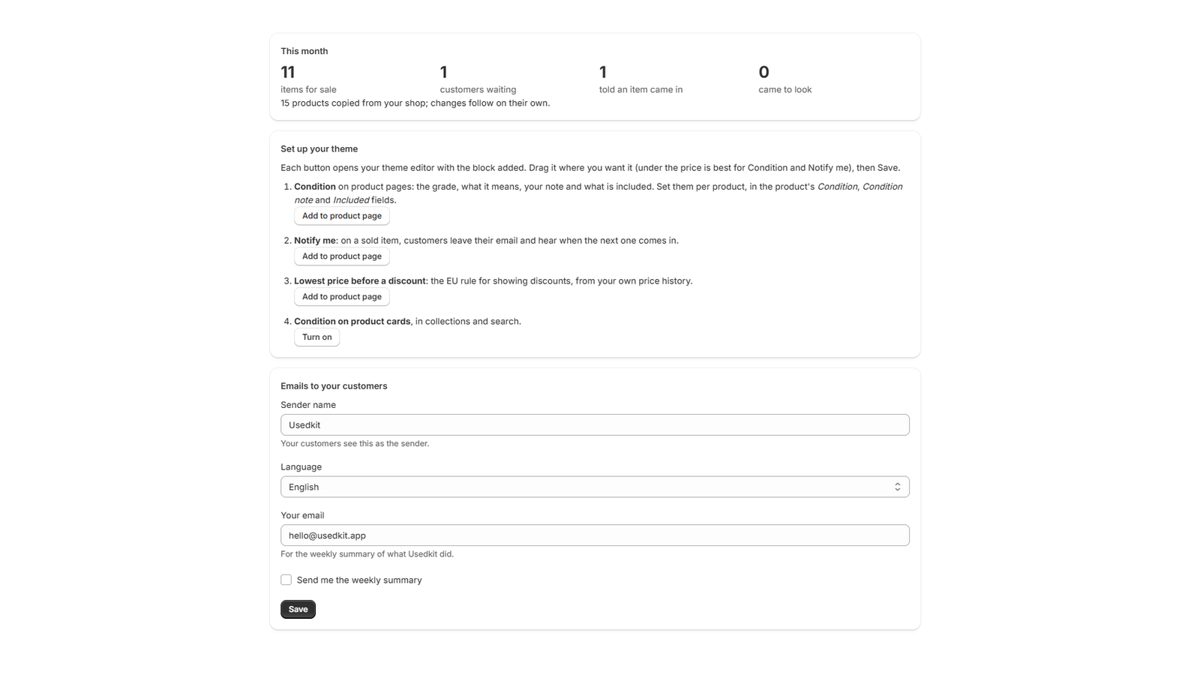
Usedkit's page in your admin has a button for each part. Each opens your theme editor with the block added: drag it where you want it and click Save.
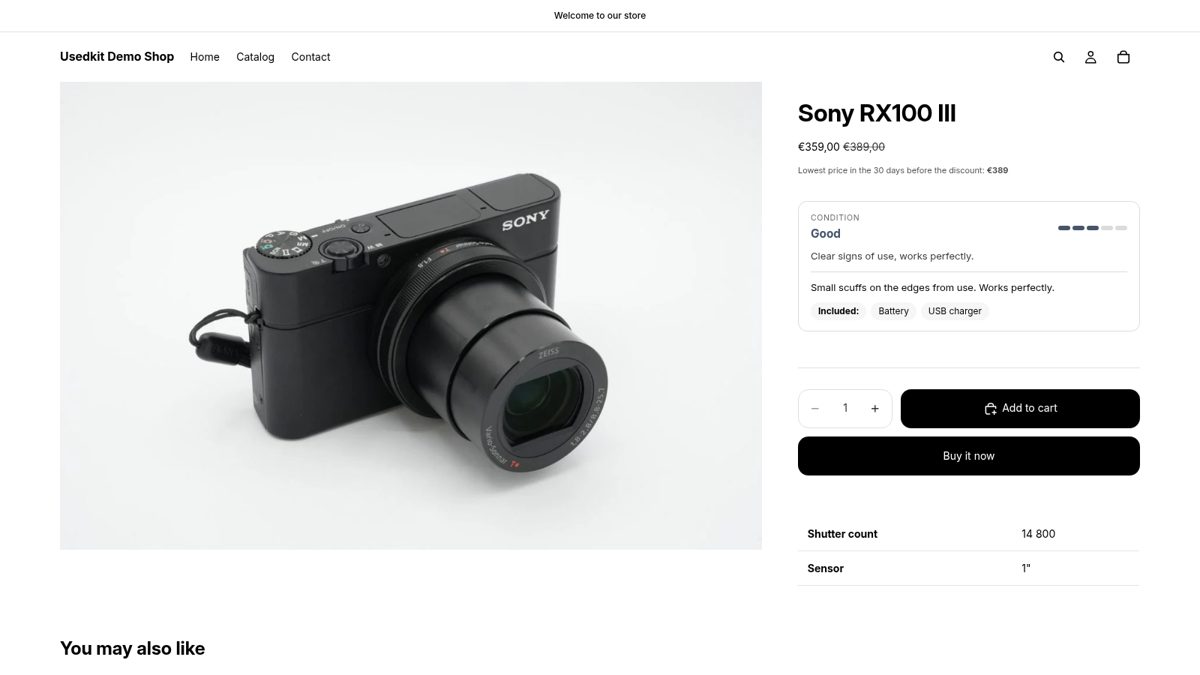
- Condition: the grade with a five-step scale, what the grade means, your note on the item and what is included. Best placed under the price, inside the product details.
- Notify me: on a sold item, a customer leaves their email and hears when the next one of the same model comes in. Under the buy buttons.
- Lowest price (EU rule): on a discounted item, the lowest price of the 30 days before the discount. Right under the price.
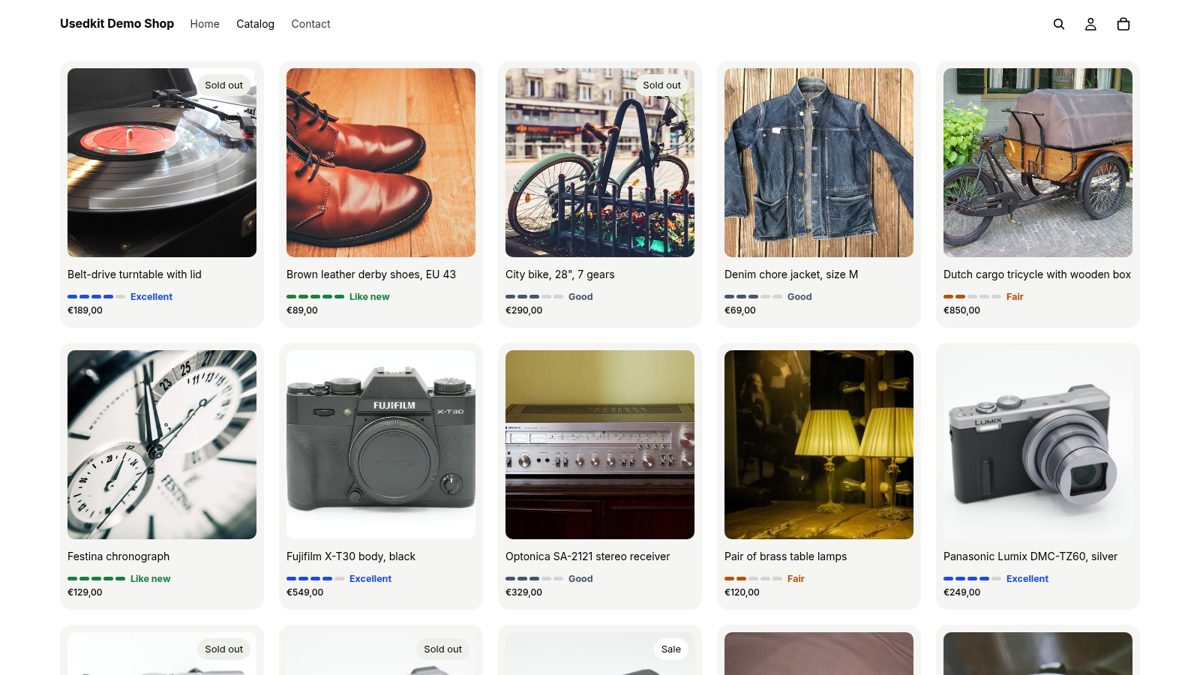
- Condition on cards: the grade on product cards in collections and search, as coloured bars, a pill or a badge on the photo. Turned on under App embeds.
Usedkit works with Online Store 2.0 themes, Shopify's own (Horizon, Dawn) and others.
3. Grade your products
Every product gets three fields from Usedkit, in Product metafields at the bottom of its page in your admin: Condition (New, Like new, Excellent, Good, Fair, For parts), Condition note (marks, faults, repairs) and Included (what comes with it, separated by commas). In the product list, you can filter by condition.
How it works
- Matching by model. A customer waiting for a Panasonic TZ60 hears about the next one however you title it ("Lumix DMC-TZ60, silver"). Cameras and lenses are matched by model; anything else by its words.
- One email to confirm, one per match. A customer gets an email to confirm the sign-up, then one email when a matching item is listed, with a link to it. Every email has a one-click unsubscribe. A maximum price, if they set one, is respected.
- The lowest price comes from your own price history, which Usedkit keeps from the day you install it. Until it reaches back far enough before a discount, the line stays hidden rather than showing a guess.
- Ten languages. The blocks follow your shop's language, and customers' emails are in the language they signed up in: English, Finnish, Swedish, German, French, Spanish, Italian, Polish, Dutch and Portuguese.
- Your settings, on Usedkit's page: the sender name customers see, the emails' default language, and a weekly summary to you.
Good to know
- The storefront talks to Usedkit through your shop's own address,
/apps/usedkit. Leave that path as it is in your app settings. - Products must be published to the Online Store to count as for sale, including while your shop is still password-protected.
- Uninstalling removes Usedkit's access at once; everything stored for your shop, customers' sign-ups included, is deleted 48 hours later. See privacy and the data processing agreement.
Help
Email [email protected]; we answer within a working day.